Say Cheese Camera Guide
The Say Cheese camera is more than a way to record the park. It turns the moment you frame into News, and that News can change how characters act afterward. To guide a run toward a particular ending, keep the camera ready, center the action that matters, and avoid filling the broadcast with unrelated fear or anger.
How to use the camera
Use this loop whenever the park changes:
- Watch the park. Look for
Circles,Squares,Cricket,Television, and unusual interactions before taking a shot. - Choose the subject. Decide which character, object, or action should become the report. The subject in the center matters more than a nearby bystander.
- Frame the active moment. Press the shutter while the action is happening. A normal reaction after the event may not represent the same News.
- Read the result. Let the new News guide the next scene, then choose whether to continue that theme or restart for a cleaner route.
The important rule is focus over volume. Taking many random photos can mix competing themes, while a run that repeatedly follows one subject is easier to steer. Use the all endings guide when you are ready to turn a camera theme into a specific route.
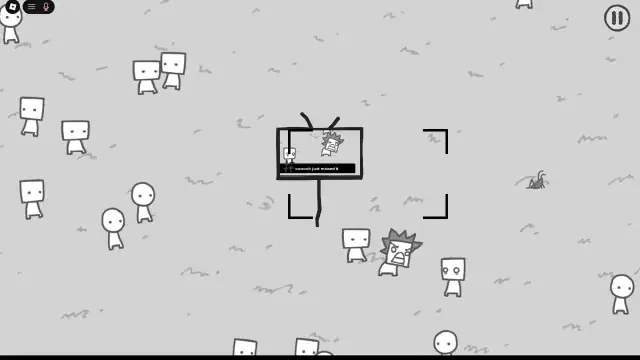
Keep the television event inside the frame while it is happening so it becomes the report focus.
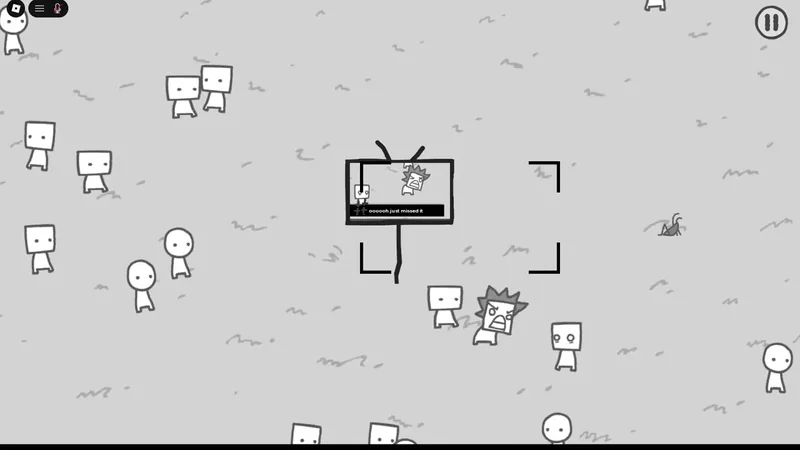
Centering the active television scene helps make the intended subject clear to the News report.
How photos become News
Photos select which park events receive attention. That attention changes character emotions, behavior, and later interactions, so each shot is also a route decision.
| Camera choice | What it does | Safer way to use it |
|---|---|---|
| Active action | Makes the action the story focus | Shoot during the rescue, exchange, sign, or reaction |
| Clear subject | Gives the News a recognizable topic | Keep the intended character or object central |
| Mixed scene | Can combine competing story signals | Avoid unrelated fear, anger, or conflict in an ending run |
| Ordinary aftermath | May not satisfy a specific event condition | Prefer the moment itself over a later idle pose |
These rows describe how to make a deliberate shot; they do not establish a universal photo count or a guaranteed trigger for every ending.
Camera routes for endings
Once you know what the camera does, choose one theme and repeat it consistently. The following route cues are supported, but some exact counts or complete trigger conditions are not documented.
| Route focus | What to photograph | Route note |
|---|---|---|
| Cricket | The cricket or grasshopper-like creature | Keep photographing it in the same run to support the Cricket ending. |
| Television | The TV and its related scenes | Keep the TV as the report focus rather than mixing it with unrelated events for the TV ending. |
| Peace | Characters showing Peace Signs or peaceful interactions | Repeat the peace theme to direct News toward the Peace ending. |
| Money | The active Money Exchange | Capture the handover as it happens for the Follow the Money route. |
| Hats | Hat Man, then hat-wearing characters | Photograph Hat Man when he appears and continue the hat sequence. Do not assume it is the same as the documented Good route. |
| Say Cheese | The actual Say Cheese moment | Photograph the matching smile or group moment three times; an ordinary photo does not substitute for it. |
The route labels are practical targets, not a claim that every ending has a fully verified checklist. If a run has already accumulated a large amount of conflict News, restarting is usually more reliable than trying to reverse the story.
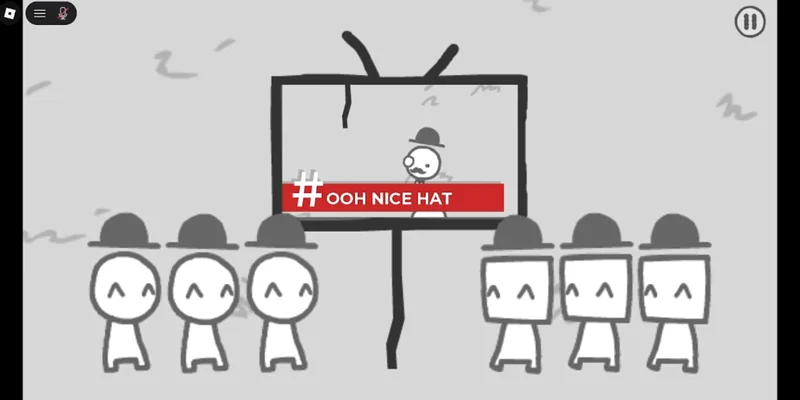
Hat-related reports provide a visual target for the Hat Man and Hats camera sequence.
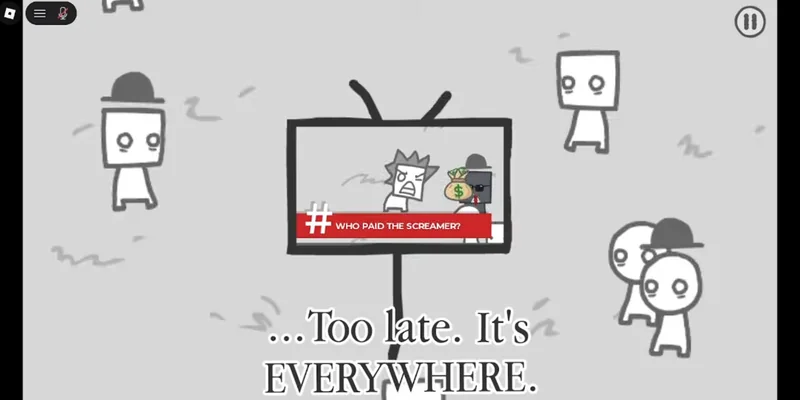
The report illustrates the Money Exchange scene as an event to capture while it is active.
Framing conditions and route clues
Some outcomes depend on what is inside the frame, not merely on the name of the subject.
Seven people for the Reverse route
For the Reverse route, get seven people into one photograph at the same time. Keep all seven visible; an ordinary group photo with fewer people does not satisfy the same condition.
Scared Circle without the Square
For the Scared clue, photograph the scared Circle three times without including the Square that frightened it. Check the frame before each shot so the frightening Square does not become part of the report.
Photograph the scared Circle for the Scared route
This moment supports the framing condition for photographing the scared Circle three times without including the Square that frightened it.

The park-corner rescue
Watch the corner near the park for a Square saving two people. Keep the camera ready and place the helping action at the center of the frame. This is a clue for the Good route, but the available guidance does not confirm the required number of photos or a complete trigger sequence. Do not merge it with the hat sequence.
Capture the park-corner rescue for the Good route
This moment supports the documented Good-route clue: a Square saving two people near the park corner.

Mistakes and recovery
- You shot the aftermath: restart the run and wait for the next active version of the event instead of assuming the ordinary reaction counts.
- The wrong character became the News focus: check the frame before the shutter, then keep the intended subject central on the next attempt.
- Fear or anger is taking over: stop photographing scares, arguments, and angry reactions. A fresh restart is the cleanest recovery when conflict News has already spread.
- You mixed two ending themes: finish the run to check the result, then use
Restartand isolate one focus such as Cricket, Television, peace, hats, or money. - A route did not unlock: check
Endings, then retry the specific scene with the documented framing or repeat condition. Do not invent a missing count from a failed attempt.
Camera checklist
Before every important photo, ask:
- Is the intended action happening now?
- Is the correct subject the clearest part of the frame?
- Am I accidentally including a character or event that changes the News theme?
- Does this shot support the ending I am pursuing?
After the story ends, check Endings. Use Restart for the next focused attempt rather than carrying a mixed News history into another route.
Camera FAQ
Does taking more photos always help?
No. The camera rewards deliberate subject choice, timing, and framing. Random photos can create mixed News and push the story toward an unwanted conflict route.
What should I photograph for the Good ending?
Look for the scene where a Square saves two people near a park corner. Center the rescue and avoid including nearby fear or anger. The exact photo count and full trigger sequence are not confirmed.
Is the Hat Man route the Good ending?
Do not treat them as identical. Hat-related reports form their own supported sequence, while the known Good clue is the park-corner rescue. The relationship between the two outcomes is not confirmed.
How do I retry a camera route?
After the story ends, check Endings and select Restart. On the new run, keep the camera focused on one route theme and follow its specific timing or framing condition.